

What is Usability Testing? How to Conduct Usability Testing?
For your business to grow and spread faster, it must have a system that ensures the accuracy and usability of products and services. Even if a service or product performs well, it doesn’t mean it is user-friendly and provides a better user experience. Ultimately, it might shift user attention to another website or product. For this reason, usability testing is a critical approach that every business needs to follow.
Businesses create websites, products, or services that cater to the demands of their customers. They can identify whether or not the developed solution meets the client’s needs by doing usability testing. That’s why your company needs to understand the importance of UX deliverables, which is why the need for such testing comes into play. In this article, we’ll discuss usability testing in detail.
What is Usability Testing?
One of the most fundamental methods to evaluate the effectiveness of a design is usability testing. Usability testing is the only way to prevent false-consensus effects when designing. It gives you a chance to learn from a different perspective. Usability testing also helps you understand the end customers. Furthermore, a solution’s success depends on clients finding, comprehending, and applying it.
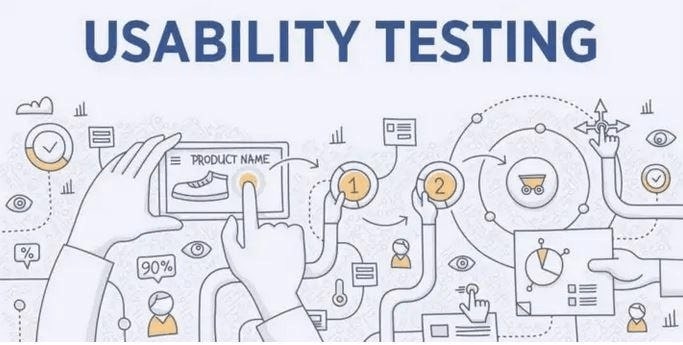
Usability testing must be conducted at a stage when it is possible to make changes to your product to make it more usable. Even though you may think you are designing for the audience, people have different approaches. They have different life experiences, viewpoints, preferences, and skills. These factors impact their perception, approach, and use of your product or service. Thus, UX testing (usability testing) is crucial.
5 Benefits of Usability Testing
Usability testing offers great benefits concerning the design process. The following are 5 benefits of usability testing.
1. Reusability
The work you put into developing the software is well-spent. It is repurposed and used on the interface with minor adjustments. You will likely be able to repurpose some of the assets used while initially developing the website or app when you need to add changes.
2. Find Minor Mistakes
Usability testing can detect major flaws as well as minor ones. While performing usability testing, you can find typos, grammatical errors, and broken links. Although these falsehoods might not appear necessarily in and of themselves, they impact how visitors perceive a site’s professionalism and credibility. You can quickly eliminate such errors.
3. Reuse of Software
Reusing software is an excellent benefit of usability testing. It enables you to save money by requiring less coding work. Usability testing is also beneficial because it lowers expenses and fosters inventiveness. Hence, it makes it possible to give creative jobs more room.
Furthermore, you can remove defects by adopting tested software rather than creating it from scratch.
4. Testing Prototype
Checking on a prototype can be quite helpful before you spend a lot of money on an extensive website. You can use it to test your idea and create future capability plans. Before finalizing a product, you can apply different types of UX testing procedures. It involves users early in the development process and tests their reactions.
5. Find Issues in Complex Flows Easily
Any processes on your website that demand visitors go through numerous stages are tested for usability. It incorporates procedures like an online checkout process and others to provide a user-friendly interface. In the end, it contributes to a better user experience. The effectiveness of a product depends on how well it treats customers. It explains the purpose of a usability test in a big project.
You can make a product as user-friendly as possible using usability testing techniques. It enables you to find problems that go unnoticed otherwise.
Types of Usability Testing
Following are a few usability testing types and methods:
1) Qualitative and Quantitative Usability Testing
2) Automated Usability Testing
3) Moderated And Unmoderated Usability Testing
4) Remote and In-Person Usability Testing
5) Hallway Testing
6) Expert Evaluation
1. Qualitative and Quantitative Usability Testing
The data that qualitative and quantitative usability testing deal with is a common distinction between the type of testing. Specific testing methodologies may work better regarding usability testing, depending on your research objectives.
2. Automated Usability Testing
Automated usability testing uses writing automation scripts. It is one of the most popular testing techniques since it is less expensive than expert review testing and less critical than paper prototype testing. The business creates automation scripts, and test cases are run when the scripts are activated. After completion, the test’s results are documented and submitted.
You must employ a resource with experience in script authoring and framework development for this testing procedure. Automated scripts reduce the need for human intervention and decrease the likelihood of errors. Therefore, it is one of your design project’s most successful usability testing methods.
3. Moderated and Unmoderated Usability Testing
All usability testing techniques fall into two categories:
Moderated usability testing
Unmoderated usability testing
Some methods might work with either approach in usability testing. Setting up such testing involves choosing between moderated and unmoderated testing. The goals of moderated and unmoderated usability testing are often the same.
4. Remote and In-Person Usability Testing
You can conduct a usability test for physical objects in person, but a remote application can assess software or internet applications effectively. Whether you want to begin your usability testing with a virtual or in-person approach, it depends mainly on what you are testing. You will find that the usability testing will function equally well with remote and in-person testing.
5. Hallway Testing
In this approach, a group of untrained individuals rather than qualified professionals test the website or product. These random individuals have no prior knowledge of the product or service design, so they do more in-depth testing. Compared to other procedures, this is the most affordable option. The benefit is you can get more accurate results and open comments for any needed improvements.
6. Expert Evaluation
In this technique, subject matter experts evaluate the product or service, offer suggestions, and then present the findings. It is how you can perform this usability testing procedure quickly and efficiently. Specialist find the gaps and spots the problems with the product or service. The outcomes can also be submitted for a remote expert review. Due to the necessity of a technological professional, this testing is typically expensive.
More Articles to Read


Difference Between User Testing and Usability Testing
User testing and usability testing both involve product designers and engineers. However, their objectives are different, as seen in the given picture.

Here is a detailed explanation of user and usability testing.
User Testing
Marketers can learn more about the requirements of their audience through user testing. The objective is to ascertain whether potential customers require particular tools, services, or products. It requires a UX design test that a team of specialists can perform.
What Are the Types of User Testing?
Following are some common types of user testing:
- Surveys
- Interviews
- User Observation
- Card Sorting
Usability Testing
Usability testing frequently comes before user testing. The goal is to examine how users interact with the product, tool, or service. Usability testing also helps determine whether they can successfully use the product or service to accomplish their objectives. Wireframes or high-fidelity prototypes can be tested as part of usability testing at any level of the design process.
An Example of Usability Testing
For usability testing, a company gives a product or a machine to its potential customer. The testing results will be derived based on what the customer perceives using that product. In this way, the company can assess various things about its products or services.
Requirements for Conducting Usability Testing
Following are the requirements for conducting a usability test:
- You can use usability testing when you need to comprehend how actual users interact with your website or app design. It helps make changes in response to the findings.
- This testing is used when you need to ensure your app or website is simple to use.
- Another time when usability testing is required is when you need to evaluate how effectively your design works by seeing its performance.
- UX validation/usability testing is helpful when you need to assess the degree of user satisfaction and find the issues and their seriousness.
How to Conduct Usability Testing?
The simplest approach to conducting usability testing is here:
Clarify the Basic Requirements
Specify the subject of the test. Ask yourself questions regarding your product or design. What elements of it are you interested in testing? You can use each response to form a hypothesis. If your hypothesis is clear, you will know exactly the aspect you want to examine.
Identify the Processing Areas
Select the testing method you want to use, such as an online or in-person process. Establish the parameters of what will be tested (such as navigation) and stick to them throughout the test.
Test Design Components
When you test each component separately, you’ll gradually develop a bigger picture of how well your design functions.
Prioritize Actions to Perform
Prioritize the most crucial actions to achieve goals, with a maximum of five tasks per participant.
Mention Your Objectives
Specify tasks with achievable objectives through remote or in-person usability testing.
Create a Comfortable Environment for Finding User Experience
Construct situations in which users can attempt to use the design normally. It implies you don’t give them directions; instead, you let them figure it out independently.
Understand and Find Your Target Audience
Understand who the target audience is. Use screening questions such as Google Forms to find qualified testers. You can promote and present rewards. Through community groups, you can also find contacts.
Proper Management
After all of this, create a proper setting for the testing. Then you can find problems.
User Accountability
Check if users:
- Need items
- Proceed in the wrong path
OR
- Interpret rules incorrectly.
You can quickly determine how often users become confused when you conduct usability research. As they complete the test, ask participants to think aloud and describe their feelings. You can use usability analysis to determine whether your designer’s mental model is correct.
Use Different Usability Testing Methods
You can use a usability testing method based on your requirements. However, these two methods for important for conducting usability testing:
- Remote Usability Testing
- Laboratory Usability Testing
Use Different Usability Testing Methods
You can use a usability testing method based on your requirements. However, these two methods for important for conducting usability testing:
- Remote Usability Testing
- Laboratory Usability Testing
Remote Usability Testing
In remote usability testing, testers and observers communicate remotely via online channels. You only need 5 people to identify 80% of usability issues. Testers conduct determined processes and techniques being connected to the System Under Test (SUT) remotely. Costs, planning, participant management, and data analysis all grow as participant usability increases.
Laboratory Usability Testing
This testing is carried out in a different lab area. Both testers and observers are present at the same physical location during this testing. The testers are required to execute tasks. The role of the observers is to monitor the testers’ behavior and report the testing outcomes. Throughout the testing, observers don’t say anything.
Usability Testing Tools
There are numerous tools available to facilitate this procedure. All of these tools fall into the following general categories:
Maze
Maze is a continuous product discovery tool that enables your product teams to gather and continuously consume user insights. You can design and share comprehensive usability tests, quantitative or qualitative, with others over a link. It allows you to import an existing prototype from your design program.
This tool includes various capabilities, including task analysis, wireframe testing, A/B testing, heatmaps, guerilla testing, and many more.
Lookback
Lookback is excellent for product managers and developers curious about how people interact with their applications. Using the testing tools from Lookback, you can check what your consumers see and gauge.
Importantly, users praise the platform’s user-friendliness and ability for seeing customers interact with their apps in real time.
User Testing
User Testing provides various customer experience solutions for developers, marketers, managers, and executives. Various tools are available for User Testing, such as Product Insights. It provides pre-formatted tests and same-day video interviews to help you gather authentic user feedback quickly. Customers can be seen, heard, and communicated through their platform using websites, applications, or prototypes.
Optimal Workshop
Using a workshop tool, ideal designers can evaluate and test how people locate the information they need on websites or mobile applications. Its feature set includes tree testing, tools for card sorting, first-click testing, and other options.
Loop11
Another well-known online usability tool is Loop11, which enables you to carry out prototypes, and testing. When you need more time to conduct one-on-one sessions, you should conduct unmoderated usability testing. The reason is that it has a variety of video, audio, and screen recording tools.
Additionally, Loop11 provides a participant pool from which you can choose the target audience.
Userfeel
A usability testing tool, Userfeel, provides you with recorded footage of users performing activities in real time. You can define the target audience, create a list of activities for testing to accomplish, and then gather user-recorded videos. You may narrow down the 90,000 individuals who make up their testing panel by demographic factors like age, country, language, level of web experience, etc.
UsabilityHub
With UsabilityHub, you can conduct various research tests and identify usability issues.
The UsabilityHub platform’s most vital point is the variety of tests you can run. It is lauded for being simple, especially for a single user. They have reporting tools, metrics for open text analysis, click graphs, and work time.
Hotjar
Hotjar is a well-known tool for usability testing. The specialty of this tool is live heatmap recording. Due to its broad feature set, it is a favored analytical tool among product managers, marketers, and user researchers.
Here we highlights the importance of usability testing and its role in testing different products. You need to understand the importance of this UX deliverable as it helps you think about better ways to lead a product toward the right audience. This is why you should implement usability testing to ensure everything is going as planned. It also gives the idea about the users using the product and how it will benefit them in the long run.